1. Choose the recent count
Display a preset or custom number of recent pages in the side panel.
 Tabuki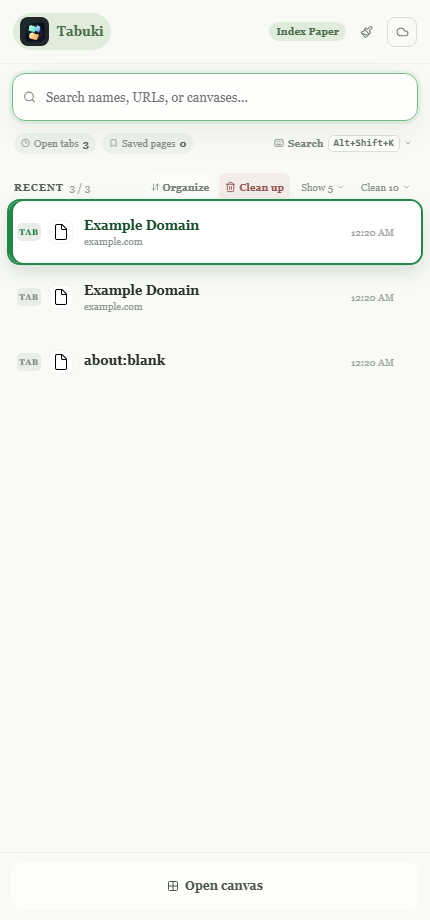
Native browser groups
Tabuki separates recently used pages from the rest of the current window and places them into native Chrome or Edge tab groups when you choose Organize.
What happens
The number of recent pages follows your side-panel display setting. Tabuki creates a Recent group for those pages and an Other group for the remaining eligible pages in the window. Recent stays expanded after organization so the pages you just selected remain visible.
Display a preset or custom number of recent pages in the side panel.
Tabuki updates native groups in the current browser window.
Tabs outside the recent list remain available through unified search.
Separate actions
The Clean up button is separate from Organize. It closes only the selected number of least-recently-used ordinary pages, protects active, pinned, and browser-internal pages, and refreshes the visible recent list immediately.